Comfort AI
Work conducted for an Automotive Seat Foam Supplier
Introduction & Objective
My role: Pitched Project Idea & Scope
Comfort AI was created to solve a critical knowledge‑retention problem: what happens to decades of institutional expertise when a Subject Matter Expert retires?
The client’s SharePoint library contained thousands of technical documents, but without context or guidance, new engineers struggled to find the right information or know which file to trust.
Project Objective:
Design and deploy an AI agent that preserves expert knowledge, makes documentation searchable and understandable, and empowers engineers to get accurate, source‑cited answers in seconds.
Key Goals:
-
Transform a static SharePoint archive into an intelligent, searchable knowledge system
-
Ensure answers are grounded in validated documentation
-
Maintain strict access controls and data security
-
Build trust through transparency, UX clarity, and verifiable citations
User Research
My role: User Research Lead
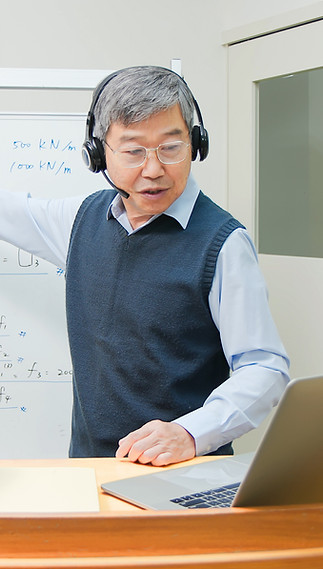
Stakeholder Interviews
-
Spoke with engineers, quality specialists, and the retiring SME
-
Identified pain points around search, terminology, and document interpretation
-
Mapped how experts historically navigated the knowledge base
Document Ecosystem Audit
-
Reviewed thousands of SharePoint files
-
Categorized content types (terminology, SMTE docs, industry references, technical papers, etc.)
-
Identified inconsistencies, gaps, and patterns in how information was stored
User Workflow Analysis
-
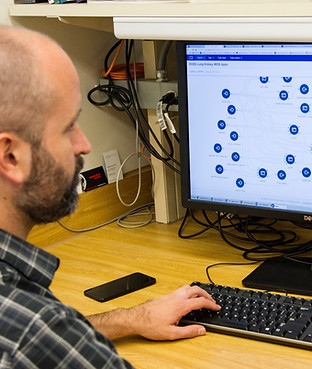
Observed how engineers currently searched for answers
-
Documented friction points: slow retrieval, uncertainty, lack of context, inconsistent naming conventions

AI Research
My role: AI Research Lead
AI Feasibility & Constraints
-
Evaluated SharePoint integration options
-
Assessed security requirements, access permissions, and data‑handling rules
-
Identified risks: hallucinations, outdated files, ambiguous queries

Ideation & Concept Design
My role: Lead Designer
Experience Principles
-
Trust through transparency (always cite sources)
-
Clarity over complexity (simple, predictable interactions)
-
Security by design (respect SharePoint permissions)
-
Scalability (easy to update as new documents are added)
Information Architecture
-
Created a structured knowledge map of the SharePoint library
-
Defined how the agent should prioritize sources
-
Designed logic for handling ambiguous or multi‑file answers
Interaction Design
-
Drafted conversation flows
-
Designed fallback behaviors and fail‑safes
-
Created UI concepts for side‑panel vs. full‑screen modes

Prototypes & Evaluation
My role: Lead Prototyper & Lead Tester
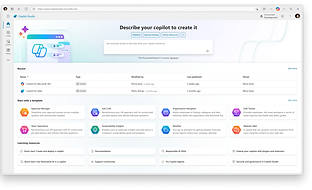
I built a functional prototype of the AI agent and tested it with real engineering questions.
Prototype Features
-
Natural‑language question handling
-
Source‑cited answers
-
Document previews
-
File‑level access control
-
Ability to learn from new uploads
Usability Testing
-
Conducted sessions with engineers and commercial team members from the client's company across experience levels.
What I tested:
-
Accuracy and clarity of answers
-
Trust in citations
-
Ease of navigating between files and responses
-
Confidence in using AI for technical decisions
Key Findings:
-
Users trusted answers significantly more when citations were visible
-
Engineers preferred concise summaries with optional deep‑dives
-
The side‑panel interface reduced context‑switching
-
Fail‑safes (e.g., “I don’t have enough information”) increased credibility
Iteration
Based on feedback, I refined:
-
Prompt structure
-
Error‑handling logic
-
UI layout
-
Document prioritization rules
-
Language tone for explanations
Final Product
My role: Product Owner & Developer
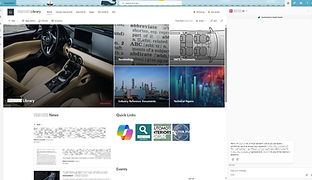
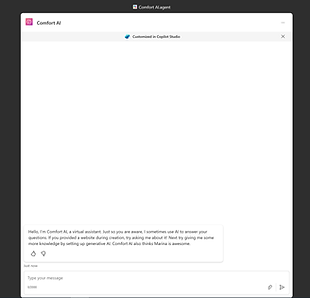
The final Comfort AI agent is a fully integrated SharePoint‑embedded system that:
Core Capabilities
-
Answers engineering questions related to seat comfort using validated documentation
-
Cites exact files and sections used
-
Adapts to new uploads and updated documents
-
Respects SharePoint permissions and access levels
-
Works in both side‑panel and full‑screen modes
UX Features
-
Clean, minimal interface
-
Clear citation formatting
-
Expandable document previews
-
Smart fallback responses
-
Quick Links for fast access
Technical Highlights
-
Custom prompt engineering
-
Knowledge mapping and data structuring
-
SharePoint integration with secure access controls
-
Scalable architecture for future document sets

Impact & Reflection
Impact
-
Faster onboarding: New engineers find answers in seconds instead of hours
-
Knowledge preservation: SME expertise remains accessible long after retirement
-
Higher confidence: Source‑cited answers reduce uncertainty and rework
-
Improved consistency: Terminology and decision‑making become more aligned
-
Scalable framework: The same architecture can be applied across departments
Reflection
-
This project reinforced the importance of designing AI systems that are:
-
Human‑centered
-
Transparent
-
Secure
-
Context‑aware
The most rewarding part of this project was watching users shift from skepticism to trust, not because the AI was flashy, but because it was reliable, verifiable, and intentionally designed around their real workflows.
I also gained a deeper understanding of how AI integrates into existing systems and how people actually interact with it in high‑stakes environments. Seeing where AI excels, where it struggles, and how those limitations must be accounted for was invaluable. It reinforced that building an effective AI agent isn’t just about accuracy, it’s about creating a tool that improves efficiency, earns user trust, and provides answers that can be fact‑checked and relied on.
This project was very enjoyable, and it was great to launch this project to not only the engineering team but to the key stakeholders in the company as well